
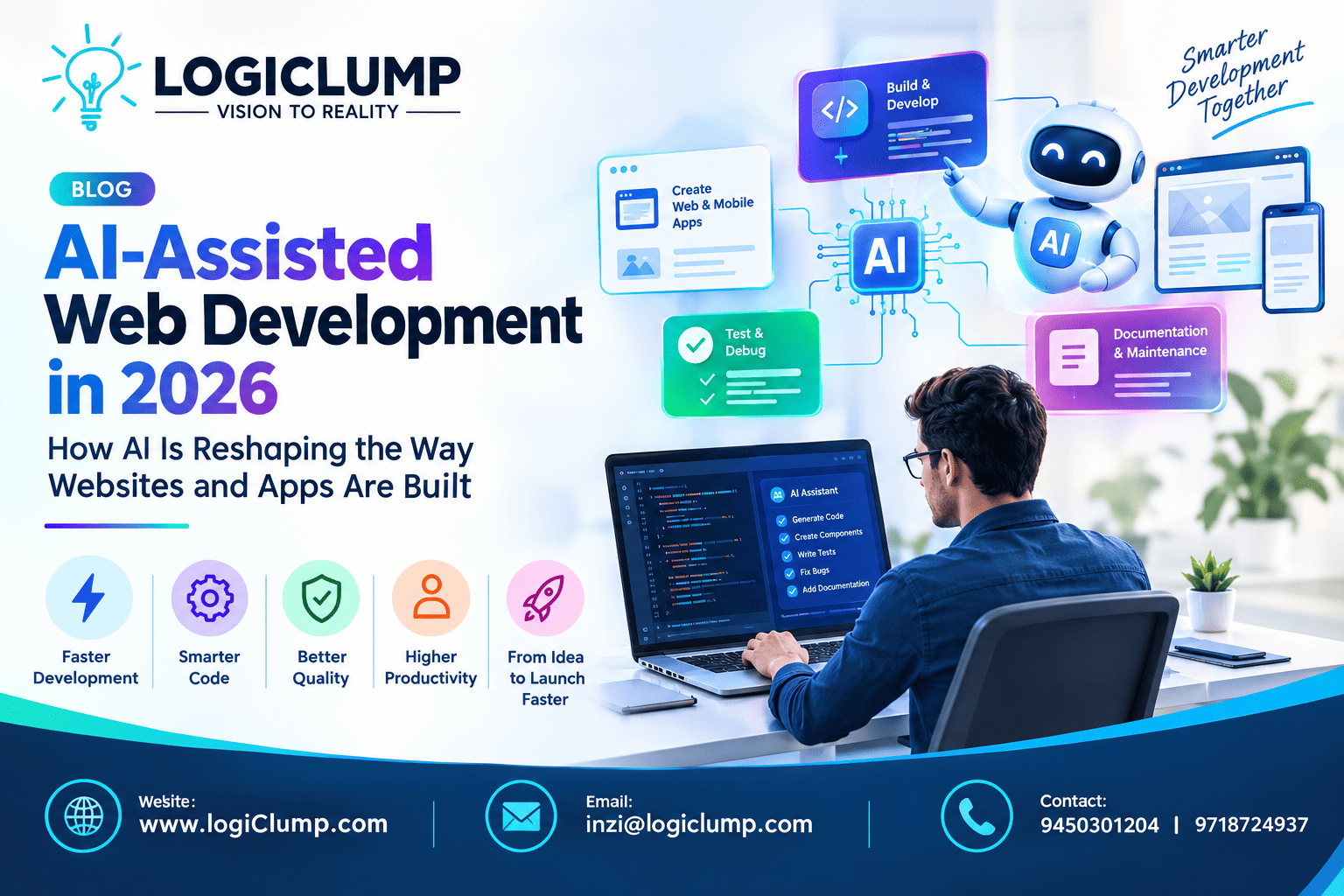
A- Assisted web Development in 2026
Web development is entering a new era.
For decades, developers have written application code manually, connected databases and APIs, tested features, fixed bugs, and maintained software through increasingly complex development cycles.
Artificial intelligence is now becoming part of that process.
In 2026, AI development tools can help engineers understand unfamiliar code, create application components, generate tests, investigate errors, explain technical problems, and automate repetitive development activities.
But the bigger change is not simply that AI can write code.
The real transformation is happening in how development teams organize their work.
Developers can increasingly work alongside AI systems that assist with different stages of a project—from understanding requirements and building features to testing, documentation, and maintenance.
For businesses, this can create a faster path from an initial idea to a working digital product.
The New Role of AI in Web Development
AI-assisted development means using artificial intelligence as part of the software engineering process.
Instead of treating AI as a separate feature inside an application, development teams can use it as an engineering assistant.
Depending on the project, AI can help with:
- Understanding requirements
- Creating code structures
- Building frontend components
- Developing backend functionality
- Writing database queries
- Preparing API integrations
- Generating tests
- Investigating errors
- Reviewing code
- Creating documentation
- Refactoring existing implementations
The developer remains responsible for deciding what should be built and whether the generated implementation is suitable.
This distinction is important.
AI can accelerate implementation, but engineering judgment still determines whether the software is production-ready.
From AI Coding Assistants to AI Development Workflows
The earliest generation of coding assistants primarily helped developers complete individual lines or small functions.
Today's AI-assisted workflow can be considerably broader.
A developer might provide a requirement such as:
"Create a customer dashboard where users can view orders, account information, and recent activity."
AI can help break the requirement into smaller development tasks.
The workflow could involve:
Requirement → Technical Plan → Implementation → Testing → Review → Deployment
AI can contribute at multiple points in this process.
This is leading toward development environments where developers are not simply asking AI to write code. They are using AI to help manage portions of the engineering workflow.
AI Can Accelerate the First Version of a Product
Turning an idea into a prototype has traditionally required considerable development effort.
A company planning a customer portal, marketplace, booking system, dashboard, or SaaS application may need to create multiple screens and supporting functionality before users can even test the concept.
AI can reduce the time required for early experimentation.
Developers can use it to create initial versions of:
- Landing pages
- Login screens
- Dashboard layouts
- Navigation systems
- Forms
- Search interfaces
- Product listings
- Admin panels
- Basic API structures
The generated version is only a starting point.
Experienced developers can then improve the design, architecture, security, accessibility, responsiveness, and performance.
This makes AI particularly useful during the prototype-to-product transition.
Working With Existing Websites and Applications
New development is only one part of the web industry.
Businesses frequently need to improve software that already exists.
An organization may have a web application that was developed years ago, uses an unfamiliar framework, or contains thousands of lines of legacy code.
Before making changes, developers need to understand how the system works.
AI can assist by explaining:
- Relationships between files
- Component dependencies
- API flows
- Database interactions
- Existing business logic
- Configuration files
- Potentially duplicated functionality
This can reduce the time developers spend navigating unfamiliar projects.
However, AI explanations should be treated as assistance rather than absolute truth. Developers still need to inspect the underlying implementation.
AI Is Changing Frontend Development
Modern websites are expected to work smoothly across phones, tablets, laptops, and large displays.
They also need consistent interfaces, accessible components, fast loading times, and intuitive interactions.
AI can help developers create initial frontend structures for:
- Responsive layouts
- Navigation menus
- Forms
- Product cards
- Tables
- Dashboards
- Search interfaces
- User profiles
- Authentication screens
Developers can then adapt those components to the brand and product requirements.
This can reduce repetitive implementation work while allowing engineers to spend more time on user experience and application behavior.
Backend Development Gets AI Assistance Too
Web applications depend on more than their visible interface.
Behind the frontend are databases, authentication systems, business rules, APIs, background processes, and integrations.
AI can assist developers in creating and understanding these backend components.
Examples include:
- REST APIs
- Authentication services
- Database queries
- Validation logic
- Data-processing routines
- Background tasks
- Notification services
- Integration layers
For example, when developing a CRM system, AI might help create an initial API structure for managing customers, leads, activities, and reports.
The implementation still needs to be reviewed for authorization, performance, data integrity, and security.
AI Can Simplify API Development
Modern software rarely exists in isolation.
A web application may communicate with payment providers, analytics platforms, CRM systems, email services, cloud infrastructure, inventory systems, or other applications.
Developers must understand how these services communicate.
AI can help interpret API documentation and assist with:
- Request structures
- Response handling
- Authentication patterns
- Error handling
- Integration code
- Data transformations
- API testing
This can make third-party integrations easier to implement.
But sensitive credentials should never be casually exposed to AI systems, and every external integration should follow appropriate security practices.
AI-Assisted Testing Can Improve Development Cycles
Writing functionality is only one stage of software development.
A feature also needs to be tested under normal and unexpected conditions.
AI can assist developers in identifying possible test scenarios that may otherwise be overlooked.
For example, an online registration system could be tested with:
- Missing information
- Invalid email addresses
- Duplicate accounts
- Incorrect passwords
- Unexpected characters
- Very long input
- Expired sessions
- Repeated requests
AI can help generate test cases and identify potential edge cases.
Automated tests can then run as part of the development pipeline.
The goal is not to replace professional testing but to increase the number of scenarios a development team can evaluate efficiently.
Debugging With AI
Every development team encounters errors.
A problem may involve a frontend component, backend service, database query, third-party API, or combination of several systems.
AI tools can help developers analyze:
- Error messages
- Stack traces
- Application logs
- Failed tests
- Unexpected API responses
- Code dependencies
They can suggest possible causes and potential solutions.
This can significantly reduce the time required to investigate routine problems.
But developers should verify the suggested solution rather than blindly applying it.
A technically plausible fix can still create unexpected side effects elsewhere in the application.
AI Code Review Is Becoming Another Development Layer
Code review is traditionally performed by developers who inspect changes before they become part of the main application.
AI can provide an additional review layer.
It can help identify potential concerns such as:
- Repeated code
- Missing validation
- Unexpected complexity
- Poor error handling
- Possible security weaknesses
- Performance concerns
- Inconsistent implementation patterns
This can help developers identify issues earlier.
However, software review is not simply a search for coding mistakes.
A human reviewer still needs to consider whether the implementation fits the product requirements, architecture, security model, and long-term maintenance strategy.
Security Must Remain a Human Responsibility
AI-generated code should never automatically be considered secure.
An AI tool may produce an implementation that appears clean and functional while introducing a vulnerability.
Developers should carefully review generated code for areas such as:
- Authentication
- Authorization
- Input validation
- Database security
- API permissions
- Sensitive-data handling
- Dependency safety
- Session management
- Error handling
Security testing should be integrated into the development lifecycle.
A practical workflow can look like:
Generate → Review → Test → Scan → Approve → Deploy
AI can make the first step faster, but the other stages remain essential.
AI Does Not Replace Software Architecture
One of the biggest risks of AI-assisted development is producing large amounts of code without a coherent architecture.
An application may technically work while becoming difficult to maintain.
Modern web software often contains multiple layers:
Frontend
↓
Application Services
↓
APIs
↓
Business Logic
↓
Databases
↓
External Integrations
↓
Cloud Infrastructure
AI-generated components need to fit within this structure.
Developers must still determine:
- How services communicate
- Where business logic belongs
- How data is stored
- How authentication works
- How permissions are enforced
- How the application scales
- How failures are handled
AI can assist with implementation, but architecture requires a broader understanding of the complete system.
The Emergence of AI-Powered Development Teams
The most interesting change may be the development team itself.
Instead of using one AI assistant for occasional coding questions, teams can increasingly use specialized AI capabilities throughout a project.
For example:
Planning Assistant
Helps convert business requirements into technical tasks.
Coding Assistant
Supports implementation and repetitive programming work.
Testing Assistant
Helps create test scenarios and analyze failures.
Documentation Assistant
Keeps technical documentation aligned with development changes.
Review Assistant
Highlights potential quality and security issues.
Developer
Coordinates these tools, makes architectural decisions, validates results, and remains accountable for the software.
This creates a collaborative model:
Human Expertise + AI Assistance + Automated Engineering Processes
Not every project requires all these capabilities. The right combination depends on the project's size and complexity.
AI-Assisted Development for Custom Business Software
Businesses often need software designed around their own processes rather than generic applications.
Examples include:
- CRM platforms
- Customer portals
- E-commerce systems
- Booking platforms
- Business dashboards
- SaaS products
- Financial applications
- Trading software
- Inventory systems
- Internal management tools
AI can accelerate parts of the development process, but the application still needs to reflect the organization's real workflow.
For custom software, developers must understand the business before deciding where AI can provide value.
AI and E-Commerce Development
Online stores are another area where faster development can provide significant advantages.
AI can assist with building components such as:
- Product catalogs
- Search functionality
- Shopping carts
- Checkout interfaces
- Customer accounts
- Order dashboards
- Inventory interfaces
- Admin panels
But an effective e-commerce platform requires more than attractive pages.
It also needs:
- Secure payment integration
- Reliable backend services
- Mobile responsiveness
- Fast performance
- Data protection
- Inventory synchronization
- Order management
- Analytics
AI can accelerate implementation while developers maintain control over the overall system.
AI-Assisted Mobile and Web Ecosystems
Modern businesses often need more than a website.
They may require a combination of:
Website + Web Application + Mobile App + Backend + APIs + Database
AI can support development across these connected components.
For example, developers may use AI to assist with a shared backend API that serves both a web application and mobile applications.
This can help teams maintain consistency across platforms while reducing repetitive development work.
The Human-AI Development Model
The future of development is unlikely to be about choosing between humans and AI.
Instead, each can focus on areas where it provides the greatest value.
Humans are strong at:
- Understanding business objectives
- Making architectural decisions
- Managing risk
- Understanding customers
- Evaluating trade-offs
- Designing product strategy
- Taking responsibility for outcomes
AI is strong at:
- Generating repetitive code
- Explaining existing implementations
- Producing test ideas
- Summarizing technical information
- Detecting patterns
- Assisting with debugging
- Creating documentation drafts
The strongest teams can combine these capabilities instead of expecting either side to work independently.
Problems Businesses Should Watch For
AI-assisted development offers significant advantages, but it also introduces new challenges.
Generated Code May Be Wrong
AI can confidently produce an implementation that does not fully satisfy the requirement.
Security Problems Can Be Hidden
A functional feature may still contain a vulnerability.
Technical Debt Can Grow Quickly
Generating code faster can also generate unnecessary code faster.
Architecture Can Become Inconsistent
Different AI-generated components may follow different approaches.
Developers Can Become Overdependent
If developers stop understanding the code they approve, maintenance becomes more difficult.
AI Needs Context
Large applications contain business rules and architectural decisions that may not be obvious from a small section of code.
These risks can be managed through strong review processes and engineering standards.
A Practical AI Development Strategy for Businesses
Companies do not need to introduce AI into every stage immediately.
A gradual approach is often more effective.
1. Identify Repetitive Development Work
Find tasks where developers spend significant time performing predictable activities.
2. Select Appropriate AI Tools
Choose tools based on the programming languages, frameworks, security requirements, and development environment involved.
3. Establish Code-Review Rules
Define how AI-generated code should be reviewed before it enters the production codebase.
4. Strengthen Automated Testing
Use unit, integration, API, and security testing to validate changes.
5. Protect Sensitive Information
Establish rules for source code, credentials, customer data, and proprietary information.
6. Measure the Impact
Track development speed alongside quality indicators such as defects, rework, testing coverage, and maintenance effort.
7. Expand Gradually
Increase AI usage only where it demonstrates genuine benefits.
The objective is not maximum AI usage.
The objective is better software development.
What AI-Assisted Development Means for Startups
For startups, development speed can have a direct impact on how quickly a product reaches the market.
AI assistance can help teams experiment with ideas, build prototypes, test concepts, and iterate on features more quickly.
This can be useful when a startup needs to validate a product before investing heavily in a complete platform.
However, startups should avoid building their entire technology foundation around generated code without proper architecture.
Fast initial development should not create expensive technical problems later.
What Larger Businesses Can Gain
Established organizations often have larger engineering teams and more complex software environments.
For them, AI-assisted development can help with:
- Legacy code understanding
- Internal documentation
- Test generation
- Migration projects
- Bug investigation
- Developer productivity
- API development
- Refactoring
- Technical knowledge sharing
AI can therefore become a productivity layer across an existing engineering organization rather than simply another coding tool.
How LogiClump Uses Modern Development Approaches
At LogiClump, modern software development is about combining technology with practical business requirements.
We develop digital solutions across areas such as:
- Website Development
- Web Application Development
- Mobile App Development
- AI-Powered Applications
- Custom Software Development
- E-Commerce Solutions
- API Development & Integration
- SaaS Platforms
- CRM & Business Automation
- FinTech & Trading Software
- Backend Development
- Cloud-Ready Applications
AI-assisted development can be incorporated into suitable projects to accelerate implementation, testing, documentation, and other engineering activities.
But the priority remains the final product—not the amount of AI-generated code.
A successful project needs the right combination of architecture, development expertise, security, testing, usability, and scalability.
The Future of AI-Assisted Web Development
The role of AI in software development will likely continue expanding.
Developers may increasingly interact with development environments through natural language, delegate repetitive tasks to AI, and use autonomous development tools for portions of the software lifecycle.
At the same time, engineering standards will become more important.
As AI makes it easier to create software, businesses will need stronger processes for:
- Code quality
- Security
- Testing
- Architecture
- Documentation
- Dependency management
- Performance
- Deployment
The development teams that benefit most from AI will not necessarily be those that generate the most code.
They will be those that can combine AI speed with strong engineering discipline.
Conclusion
AI-assisted web development is changing the software industry from simple code assistance toward broader collaboration between developers, AI systems, and automated engineering workflows.
AI can help teams prototype faster, understand existing applications, build components, create tests, investigate bugs, and improve documentation.
But successful software still requires human expertise.
Architecture, security, product decisions, business understanding, and long-term maintainability cannot simply be delegated to a code generator.
The future of web development is therefore not:
AI instead of developers.
It is:
Developers empowered by AI.
For businesses, this creates an opportunity to build websites, applications, SaaS platforms, e-commerce systems, and custom software more efficiently while maintaining the quality and security required for long-term growth.
AI can accelerate development. Great engineering turns that speed into valuable software.
Build Your Next Digital Product With LogiClump
Have an idea for a website, web application, mobile app, SaaS platform, or AI-powered business solution?
LogiClump Technologies can help transform your idea into a scalable digital product.
🌐 www.logiclump.com
📧 inzi@logiclump.com
📞 9450301204 | 9718724937
INNOVATE. INTEGRATE. ELEVATE
Explore how AI-assisted web development is transforming coding, testing, debugging, APIs, and development teams while helping businesses build digital products faster.
Tom Cruise