
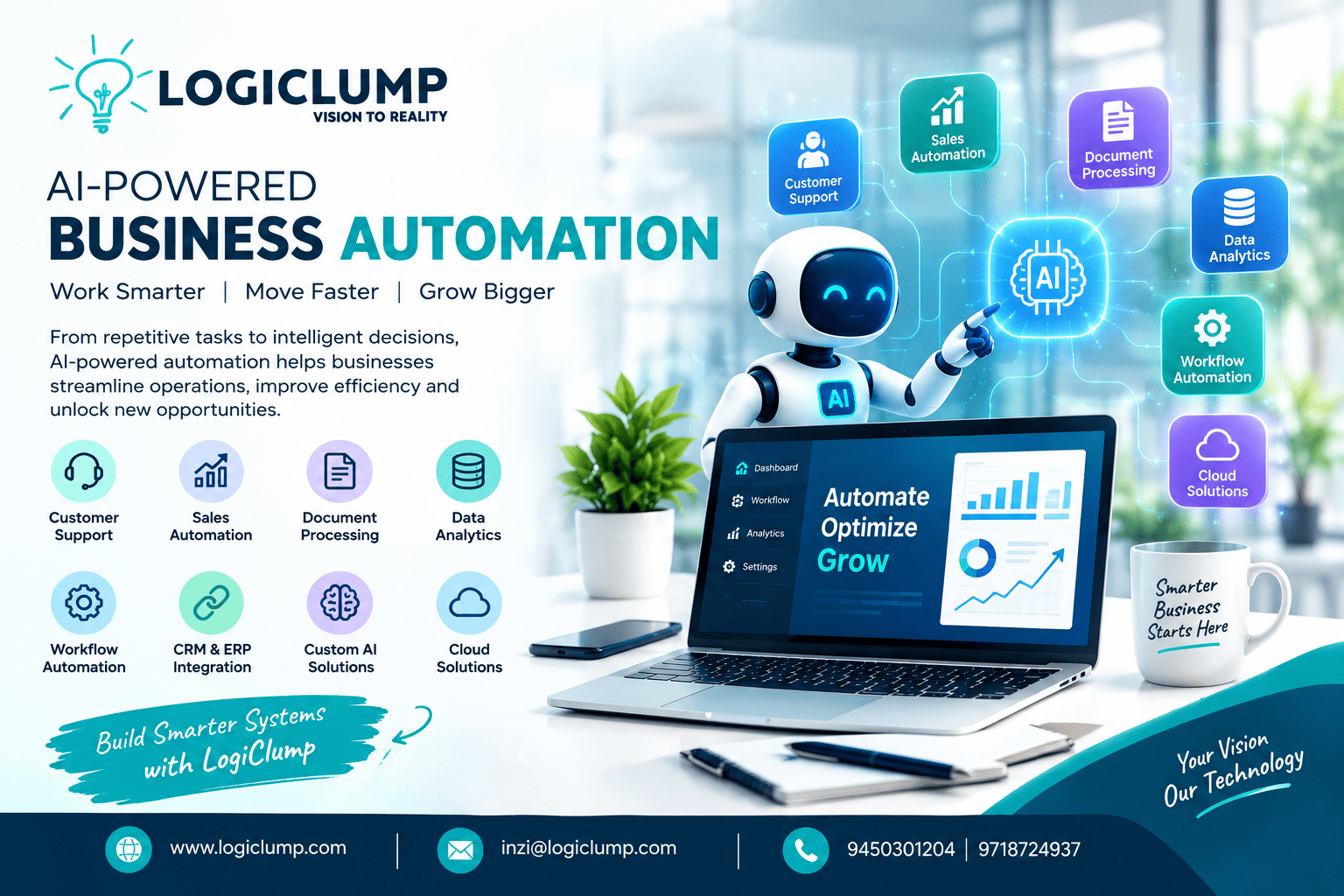
AI - Powered Business Automation
Businesses are under constant pressure to work more efficiently, respond to customers faster, and manage growing amounts of information. Yet many organizations still depend on manual processes, disconnected software, and repetitive administrative tasks that slow down daily operations.
Artificial intelligence is creating new opportunities to address these challenges. Businesses can now explore smarter ways to manage customer relationships, analyze information, process documents, coordinate teams, and improve operational decisions.
However, adopting AI is not simply a matter of installing a chatbot or subscribing to an AI tool. Real business value comes from integrating intelligent technology into the systems and workflows employees already use.
AI-powered business automation is about making business processes more connected, efficient, and responsive—not adding technology without a clear purpose.
What Does AI-Powered Business Automation Actually Mean?
AI-powered business automation brings together artificial intelligence, software applications, and workflow automation to reduce manual effort and support business activities.
Conventional automation generally operates according to predefined instructions. When a particular event occurs, the system performs a designated action.
AI introduces additional capabilities. Depending on the technology and implementation, a system can interpret unstructured information, recognize patterns, summarize data, classify requests, and recommend appropriate next steps.
For example, an intelligent business application might:
-
Organize incoming customer inquiries by subject and urgency.
-
Extract important details from invoices and business documents.
-
Summarize customer interactions for sales representatives.
-
Identify unusual patterns in operational data.
-
Generate reports using information from connected systems.
-
Recommend follow-up activities based on customer history.
-
Direct requests to the appropriate department.
-
Assist employees with routine information-based decisions.
These capabilities do not eliminate the need for business rules or human judgment. Instead, they can help employees handle information more efficiently and reduce repetitive work.
Why Businesses Are Rethinking Manual Workflows
Many companies already use digital tools for accounting, sales, customer management, inventory, and communication. Despite this investment, employees may still need to transfer information manually between applications.
Consider a typical sales inquiry.
A potential customer fills out a website form. An employee reviews the message, identifies the customer's needs, enters the information into a CRM, assigns the lead, and schedules a follow-up.
When these steps are handled separately, delays and data-entry mistakes can occur.
An integrated automation system could capture the inquiry, classify its contents, create a CRM record, notify the relevant salesperson, and prepare a suggested response. Sensitive or uncertain actions can remain subject to employee approval.
The result is a more coordinated process with fewer unnecessary manual steps.
The objective is not to remove people from business operations. It is to give employees more time for relationship building, complex problem-solving, planning, and other work that benefits from human expertise.
Five Practical Applications of AI Business Automation
1. Intelligent Customer Support
Customer support teams frequently handle similar questions about services, payments, orders, account access, and company policies.
AI-powered support applications can help identify what a customer needs, retrieve relevant information, classify requests, and suggest suitable responses.
A support workflow might include:
-
Understanding the customer's message.
-
Finding information from an approved knowledge base.
-
Preparing an initial response.
-
Assigning the issue to the correct team.
-
Flagging urgent or sensitive cases.
-
Escalating complicated requests to a human representative.
This approach can help businesses manage incoming requests more consistently. Responses should still be checked against reliable information, and customers should have a clear route to human assistance when necessary.
2. Smarter Sales and Lead Management
Sales teams need to understand which prospects require attention and what information will help move a conversation forward.
AI can support this process by summarizing inquiries, organizing customer requirements, highlighting engagement patterns, and suggesting follow-up actions.
When integrated with a customer relationship management system, these features can help teams maintain more complete records and prioritize their work.
For example, a CRM application could prepare a summary of a prospect's previous interactions before a sales call. The representative can then spend less time searching through records and more time understanding the customer's needs.
AI recommendations should support the sales team's judgment rather than automatically determine a prospect's value without appropriate checks.
3. Automated Document Processing
Documents remain an important part of many business operations. Invoices, purchase orders, application forms, contracts, and reports often contain information that must be reviewed and transferred into other systems.
AI-assisted document processing can help extract relevant fields, classify files, and organize information for further processing.
A typical workflow may look like this:
Document Received → Information Extracted → Details Validated → Business System Updated → Exceptions Reviewed
For example, an invoice-processing application could identify the supplier, invoice number, date, and total amount. The system could then compare these details with existing records and flag discrepancies for review.
This can reduce repetitive data entry, but validation remains important. Documents may contain unclear information, unusual formats, or errors that require human attention.
4. Business Intelligence and Data Analysis
Companies collect data from sales platforms, customer applications, inventory systems, marketing campaigns, and operational tools. However, collecting data does not automatically make it useful.
AI-assisted analytics can help teams summarize large datasets, investigate changes, identify potential anomalies, and explore patterns that may deserve further attention.
Possible applications include:
-
Reviewing changes in sales performance.
-
Identifying recurring customer complaints.
-
Highlighting inventory patterns.
-
Summarizing operational reports.
-
Detecting unusual transactions for investigation.
-
Preparing management summaries from multiple data sources.
These insights can help decision-makers investigate issues more quickly. Important conclusions should still be checked against the underlying data, especially when financial or operational decisions are involved.
5. Internal Process Automation
Some of the most useful automation opportunities exist behind the scenes.
Employee onboarding, order processing, document approvals, task assignments, and internal notifications often involve several departments and applications.
A coordinated onboarding workflow, for example, could manage document collection, verification status, account requests, and department notifications.
An order-management process might connect order validation, inventory checks, payment confirmation, fulfillment, and customer updates.
Connecting these steps reduces the need for employees to repeatedly transfer information or chase updates across different teams.
AI Automation Is More Than a Chatbot
Chatbots are one visible application of artificial intelligence, but business automation can extend much further.
A practical automation solution may combine AI models with databases, APIs, existing business applications, workflow rules, reporting tools, and human approval processes.
A simplified architecture looks like this:
Business Input → AI Interpretation → Rule Validation → Connected Software → Workflow Execution → Review When Needed → Final Action
Each component serves a different purpose.
AI helps interpret information or generate recommendations. Business rules define what is permitted. APIs connect systems. Workflow software coordinates the steps, while human oversight provides an additional layer of control for important decisions.
This integrated approach allows AI to support actual business operations rather than functioning as an isolated feature.
Connecting AI With Existing Business Applications
Introducing AI does not always require replacing an organization's current software.
In many cases, existing applications can be extended through APIs, secure integrations, and additional workflow components.
CRM systems and AI
AI can assist with customer summaries, lead classification, inquiry routing, and follow-up suggestions.
ERP systems and AI
Intelligent features can support demand analysis, inventory monitoring, operational reporting, and exception identification.
E-commerce platforms and AI
Applications can provide product discovery assistance, customer support, and help with order-related inquiries.
Business dashboards and AI
Reporting tools can generate summaries, explain changes in selected metrics, and highlight areas that may require attention.
The exact capabilities depend on data quality, system compatibility, access permissions, and the reliability of the AI implementation.
A well-planned integration can extend existing software while avoiding unnecessary disruption to established business processes.
How to Choose the Right Process for Automation
Not every task needs artificial intelligence. Some processes are better handled by simple rules, conventional software automation, or a combination of technologies.
Before investing in an AI project, businesses should evaluate potential opportunities against practical criteria.
Repetitive workload: Does the process require employees to perform the same steps frequently?
Information complexity: Does it involve large volumes of text, documents, or data that are difficult to review manually?
Process clarity: Are the expected outcomes and operating rules sufficiently defined?
Operational cost: Does the task consume significant employee time or create recurring delays?
Measurable results: Can the organization evaluate whether automation improves speed, accuracy, service quality, or cost?
A useful starting point is to identify a workflow that creates a visible operational bottleneck.
Rather than asking where AI can be added, businesses should ask which process would benefit most from becoming faster, more consistent, or easier to manage.
When Custom AI Software Makes Sense
Ready-made AI tools can support many common tasks. However, they may not fit every company's workflows, data structures, or operational requirements.
A logistics provider, a financial services company, a healthcare business, and an online retailer all operate differently. Their software may need to follow distinct rules, permissions, integrations, and reporting requirements.
Custom AI applications can be designed around these specific needs.
Depending on the project, a solution may integrate:
-
Existing databases and business records.
-
CRM and ERP applications.
-
Internal approval workflows.
-
Customer-facing websites or mobile applications.
-
Business dashboards and reporting systems.
-
Secure API connections.
-
Industry-specific operating rules.
-
Access permissions and audit requirements.
The value of custom development lies in creating a solution that fits the actual business process instead of forcing the business to adapt to a tool that does not meet its needs.
A successful implementation should also be maintainable, testable, secure, and flexible enough to accommodate future changes.
Security and Human Oversight in Automated Systems
Automating a workflow does not remove the responsibility to protect business information.
AI applications may interact with confidential records, customer details, internal documents, or commercially sensitive data. Organizations need to establish clear controls before connecting these resources to automated systems.
Important considerations include:
-
Authentication and role-based access.
-
Encryption and secure data handling.
-
API permissions and access restrictions.
-
Monitoring and audit records.
-
Validation of AI-generated information.
-
Error handling and recovery procedures.
-
Human approval for sensitive actions.
-
Policies for retaining and processing data.
Businesses should also consider what happens when an AI system misunderstands a request, produces an incorrect result, or encounters information outside its expected scope.
For high-impact activities, it is often appropriate to require explicit approval before the system takes action.
Effective automation balances efficiency with accountability.
A Practical Roadmap for Implementing AI Automation
Businesses can introduce intelligent automation gradually instead of attempting to transform every department at once.
Step 1: Identify a Business Problem
Choose a process that creates recurring delays, excessive manual work, or avoidable administrative effort.
Step 2: Document the Existing Workflow
Map the people, applications, data, decisions, and handoffs involved in the current process.
Step 3: Select the Appropriate Technology
Determine whether the process needs traditional automation, AI-assisted interpretation, API integration, or a combination of these approaches.
Step 4: Develop a Focused Solution
Build a limited version that addresses one clearly defined use case. Avoid adding features that are not necessary to test the initial idea.
Step 5: Integrate the Required Systems
Connect the relevant applications and databases using appropriate authentication, permissions, and validation.
Step 6: Test and Measure Performance
Compare the new workflow with the previous process. Relevant measurements may include processing time, error frequency, employee workload, customer response time, and operational cost.
Step 7: Improve Before Expanding
Review the results, address weaknesses, and refine the workflow. Once the solution performs reliably, consider extending it to other suitable processes.
This phased approach helps organizations make decisions based on evidence rather than assumptions about what AI might achieve.
How to Measure the Business Impact of AI Automation
The success of an AI project should not be measured solely by how advanced the technology appears.
Businesses need to evaluate whether the solution addresses the original problem.
Useful performance indicators may include:
-
Average time required to complete a task.
-
Number of manual steps removed.
-
Frequency of processing errors.
-
Customer response and resolution times.
-
Employee time spent on repetitive work.
-
Cost per completed transaction.
-
Percentage of cases requiring human intervention.
-
Accuracy of extracted or classified information.
The most relevant metrics will vary by use case. For instance, document processing may focus on extraction accuracy and exception rates, while customer support may emphasize response quality and successful resolution.
Clear measurement helps organizations identify which solutions are worth improving or expanding.
What Comes Next for AI-Powered Business Operations?
Business software is increasingly combining AI capabilities with automation, cloud infrastructure, APIs, and real-time information.
This creates opportunities for applications to do more than store records or display dashboards. Depending on their design, they can help interpret incoming information, recommend actions, coordinate workflows, and keep employees informed about important changes.
However, greater automation does not mean every organization should aim for completely autonomous operations.
Different tasks require different levels of supervision. Routine activities may be suitable for automation, while sensitive decisions may still require employee review and approval.
The long-term opportunity is to build digital systems that make work more connected while preserving appropriate human control.
How LogiClump Helps Businesses Build Smarter Digital Solutions
Successful business automation requires more than an AI model. It depends on understanding the business requirement, designing the right architecture, integrating the necessary systems, and creating an application that can be maintained as requirements evolve.
LogiClump Technologies helps businesses develop digital solutions tailored to their operational needs, including:
-
Custom software development.
-
Website and web application development.
-
Android, iOS, and cross-platform mobile applications.
-
CRM and ERP systems.
-
AI-powered applications.
-
Cloud-based software solutions.
-
API integrations.
-
Admin panels and business dashboards.
-
Workflow automation solutions.
Each project should begin with a clear understanding of the problem the business wants to solve. From there, the technology can be selected and implemented according to the required functionality, security, integration, and scalability.
The aim is to build useful digital infrastructure—not to introduce AI simply because it is a popular technology.
Conclusion
AI-powered business automation offers organizations a practical way to rethink repetitive work, disconnected applications, and information-heavy processes.
From customer support and sales operations to document handling, analytics, and internal workflows, intelligent software can help businesses coordinate tasks and use their information more effectively.
But successful automation depends on choosing the right problem, selecting appropriate technology, protecting business data, and measuring actual results.
Businesses do not need to automate everything at once. Starting with one well-defined process can provide valuable insights and create a foundation for future improvements.
Automate repetitive tasks. Connect your business systems. Give your team more time to create value.
Build Your Digital Future With LogiClump Technologies
Ready to explore custom software or AI-powered automation for your business?
LogiClump Technologies can help you turn business requirements into digital solutions designed around your workflows and growth plans.
🌐 Website: www.logiclump.com
📧 Email: inzi@logiclump.com
📞 Contact: 9450301204 | 9718724937
Turn Your Business Idea Into Digital Reality
Discover how AI-powered business automation can streamline workflows, connect business applications, reduce repetitive tasks, and improve operational efficiency.
Tom Cruise