
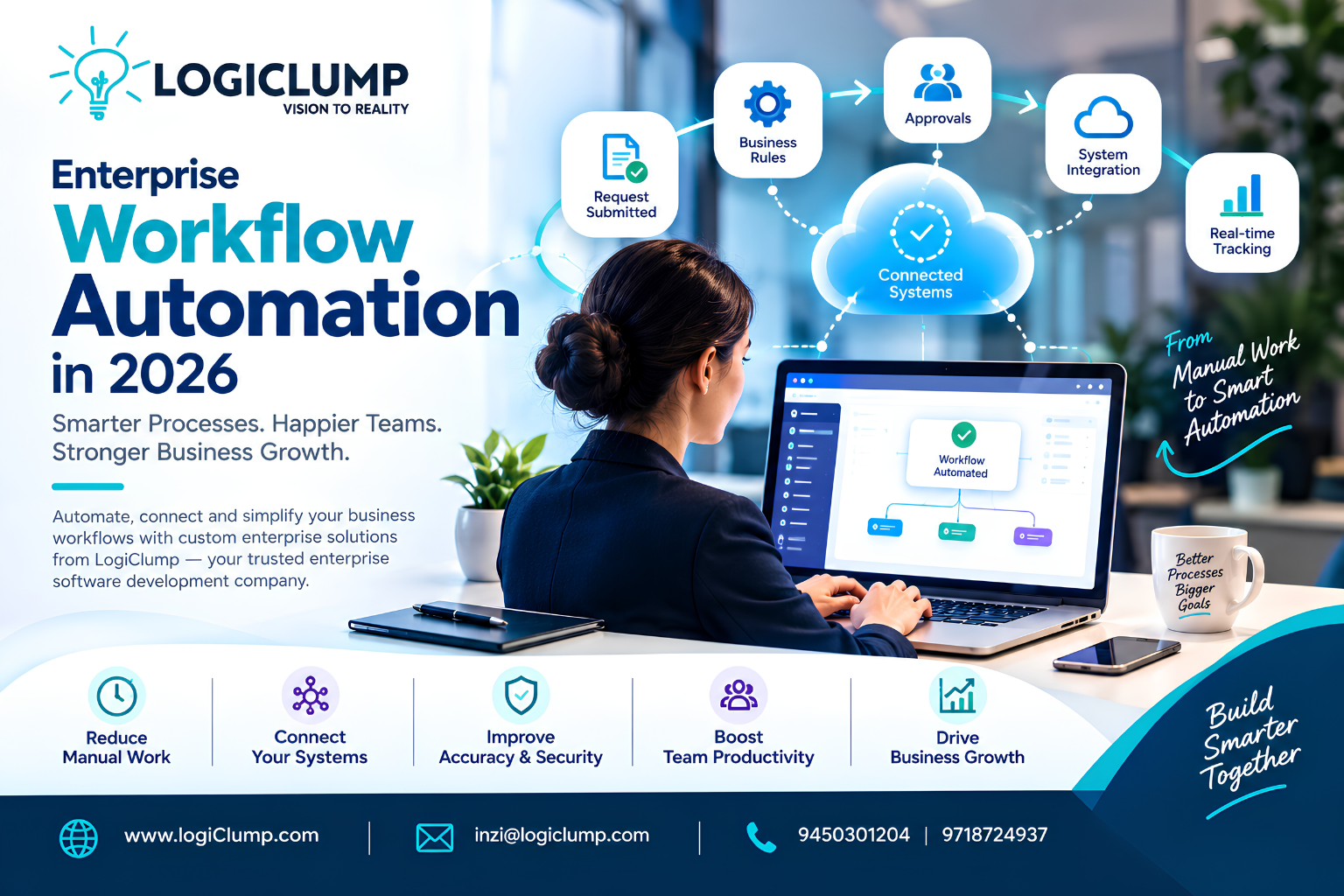
Enterprise Workflow Automation in 2026
As organizations expand, managing daily operations becomes more challenging. Information passes between departments, approvals depend on multiple people, and employees often switch between applications to complete routine tasks. Even when a company has modern software, gaps between its systems can slow down the entire operation.
These inefficiencies can affect productivity, increase administrative costs, and make it harder for management to understand what is happening across the business.
Enterprise workflow automation helps organizations redesign how work moves through their operations. By connecting applications, defining business rules, and automating repetitive activities, companies can create more consistent processes and give employees better visibility into their responsibilities.
In 2026, businesses have additional opportunities to combine workflow automation with AI, data integration, and customized enterprise applications. The real advantage comes from applying these technologies to specific business problems rather than automating tasks without a clear objective.
Understanding Enterprise Workflow Automation
Enterprise workflow automation is the use of software to coordinate tasks, decisions, information exchange, and approvals across business processes.
Instead of requiring employees to manually manage every stage, an automated workflow follows predefined instructions and triggers appropriate actions when specific conditions are met.
For example, when a new employee joins an organization, a workflow could initiate account requests, assign onboarding activities, notify the relevant departments, and track completion. Tasks that require managerial approval can remain under human control.
Businesses commonly automate:
- Employee onboarding and internal requests
- Customer inquiries and service tickets
- Invoice verification and expense approvals
- Sales lead distribution and follow-up reminders
- Inventory monitoring and replenishment alerts
- Project assignments and progress updates
- Contract reviews and document routing
- Reporting and data synchronization
- Internal compliance and audit processes
The objective is to reduce unnecessary manual coordination while maintaining the controls and oversight required by the business.
The Hidden Cost of Disconnected Business Processes
Many operational problems develop gradually. A company might introduce separate applications to solve individual challenges, but over time those tools may create new coordination problems.
Repeated Data Entry
When employees enter the same information into several applications, the business spends time on repetitive work and becomes more vulnerable to inconsistent records.
Connecting systems can allow approved information to move automatically between applications, reducing duplication and improving data consistency.
Unclear Task Ownership
Requests can become delayed when employees are unsure who should handle the next step.
A structured workflow can assign tasks based on department, responsibility, workload, or other business rules. It can also notify the appropriate person when an action is overdue.
Limited Process Visibility
Managers may struggle to determine why a request is delayed or how long a process typically takes.
Workflow tracking provides information about task status, processing times, outstanding actions, and recurring bottlenecks.
Inconsistent Procedures
When teams rely on informal instructions, similar requests may be handled differently by different employees.
Automation can standardize routine steps while allowing exceptions to be reviewed when circumstances require a different decision.
How Automation Changes Everyday Enterprise Operations
The value of automation becomes clearer when it is applied to an actual business process.
Consider a company that receives hundreds of service requests each week. Employees previously read each request, identify its category, assign it to a department, and manually update the tracking system.
An automated process could classify requests using predefined rules, create records, assign responsible teams, and send status notifications. More complex requests could be flagged for review.
This approach does not eliminate the need for employees. Instead, it reduces administrative effort and helps staff concentrate on resolving problems.
A typical automated process includes five elements:
- Initiation: An event starts the workflow, such as a submitted form or a new transaction.
- Validation: The system checks whether required information is present and acceptable.
- Processing: Software performs the actions permitted by business rules.
- Decision or exception handling: Requests needing approval or additional information are routed appropriately.
- Completion and tracking: The system records the outcome and updates relevant applications.
A well-designed workflow also defines what happens when a connected service becomes unavailable, information is incorrect, or an approval is rejected.
Why Enterprise Integration Is Essential
Workflow automation becomes much more useful when it can communicate with the systems employees already use.
An enterprise may operate a CRM for customer relationships, an ERP for business operations, an accounting platform for financial records, and a separate tool for project management.
Without effective integration, employees may need to transfer information manually between these platforms.
Custom APIs and integration services can help these applications exchange data according to defined rules.
For example, when a sales opportunity is converted into a confirmed order, an integrated process might update the customer record, notify the fulfillment team, and pass relevant information to the accounting application.
To make these connections dependable, businesses should consider authentication, data validation, error handling, monitoring, and permissions.
The goal is to create a coordinated technology environment without introducing unnecessary complexity or exposing information to unauthorized systems.
Where AI Fits Into Enterprise Automation
Traditional automation is effective when the steps and decision rules are predictable. AI can extend these capabilities when a process involves interpreting text, reviewing documents, or identifying patterns.
The most practical implementations combine conventional software rules with AI-assisted tasks.
Document Understanding
AI can extract information from purchase orders, invoices, application forms, and other documents. The workflow can validate the extracted data before passing it to another system.
Request Classification
An AI model can help categorize customer messages, internal tickets, or incoming applications so that each item reaches the appropriate team.
Business Information Assistance
Employees may use natural-language interfaces to search authorized company documents or summarize information from connected systems.
Operational Analysis
AI-assisted analytics can help identify unusual transaction patterns, recurring service issues, or changes in demand, provided the underlying information is reliable.
Intelligent Task Assistance
AI agents may perform selected multi-step tasks using approved tools. However, access should be restricted, actions should be monitored, and consequential decisions should retain suitable human oversight.
AI is not necessary for every workflow. Straightforward, rule-based processes may be easier to maintain using conventional automation. AI should be introduced when it provides a clear benefit that justifies its additional cost and complexity.
Enterprise Workflow Automation Across Industries
Different sectors have different requirements, but each can benefit from well-designed processes that connect people, information, and applications.
Financial services: Automating document collection, transaction review support, reconciliation assistance, and internal approvals while preserving auditability and financial controls.
Manufacturing: Coordinating material requests, maintenance notifications, production updates, and quality documentation.
E-commerce: Connecting order confirmation, stock updates, delivery notifications, returns, and customer service workflows.
Healthcare administration: Managing appointment reminders, document routing, and administrative requests with appropriate privacy safeguards.
Professional services: Coordinating project assignments, client onboarding, timesheet approvals, and billing preparation.
Enterprise IT: Managing access requests, incident routing, software approvals, and routine service operations.
Each workflow should be designed around its actual users, business rules, and risk level rather than copied from another organization.
Designing an Automation System That Can Grow
An automation solution should fit into the wider enterprise architecture and remain manageable as business needs evolve.
Several components deserve attention during planning.
Workflow management: Defines the sequence of activities, responsibilities, conditions, and exceptions.
Application integration: Enables secure communication between internal platforms and external services.
Data management: Ensures that the workflow uses appropriate, consistent information.
Identity and access control: Restricts users and systems to authorized actions.
Monitoring and logging: Helps technical teams identify failures, delays, and unusual behavior.
User experience: Makes it easy for employees to submit requests, approve tasks, and track progress.
Not every business needs a large automation platform. A small process may require only a form and an API connection, while a business-critical workflow may need centralized monitoring, recovery mechanisms, and stronger availability controls.
The design should reflect the scale and complexity of the process.
Security and Governance for Automated Workflows
Automation can spread incorrect information quickly if its rules or integrations are poorly designed. Enterprise workflows therefore need safeguards appropriate to the data and actions they handle.
Important measures include:
- Restricting access according to user roles
- Protecting API keys and other credentials
- Validating information before processing
- Recording important actions for auditing
- Requiring authorization for sensitive transactions
- Monitoring failed or unusual workflow activity
- Defining recovery and retry procedures
- Applying suitable privacy and data-retention policies
- Testing changes before production deployment
For example, a workflow that organizes internal meeting requests may require relatively simple controls. A process that initiates financial transactions needs much stronger authorization and verification.
Organizations should also assign an owner to every important workflow. Someone needs to review performance, approve changes, and investigate exceptions.
A Business-Focused Roadmap to Workflow Automation
Successful implementation starts with process analysis rather than technology selection.
Step 1: Find a Meaningful Business Problem
Identify a process that regularly causes delays, consumes excessive staff time, or generates avoidable errors.
Step 2: Document How Work Happens Today
Map each stage, identify the people involved, and record which applications and data are required.
Look for redundant approvals and unnecessary steps that should be removed before automation begins.
Step 3: Establish Measurable Targets
Decide what improvement should look like. Targets might include shorter processing times, fewer errors, faster approvals, or better visibility.
Step 4: Select an Appropriate Solution
Determine whether the requirements can be met with existing tools or need custom enterprise software, API integration, or AI capabilities.
Step 5: Develop and Test the Workflow
Test ordinary operations and less common situations, including incorrect inputs, rejected requests, unavailable services, and incomplete records.
Step 6: Prepare Users and Support Teams
Explain how the workflow operates, how responsibilities change, and where employees should report problems.
Step 7: Monitor Real-World Performance
Measure processing times, error rates, employee adoption, and operational costs after launch.
Step 8: Improve Gradually
Use actual results and user feedback to refine the process before extending automation to other departments.
A phased implementation allows businesses to validate benefits and manage risk without attempting to transform every operation simultaneously.
Measuring the Return on Automation
Automation should be evaluated according to business outcomes rather than the number of automated actions.
Useful performance indicators include:
- Average time needed to complete a process
- Staff hours spent on repetitive activities
- Frequency of manual corrections
- Time requests spend awaiting approval
- Workflow failure and exception rates
- Accuracy of information transferred between systems
- Employee satisfaction and adoption
- Software operating and maintenance expenses
- Customer response and resolution times
Suppose a company processes a large number of internal requests each month. By comparing average processing time before and after automation, it can estimate the time saved and assess whether the improvement justifies the investment.
The calculation should include development, integration, subscriptions, infrastructure, training, support, and future maintenance.
Some processes may be too infrequent or complicated to justify automation. Prioritizing high-value opportunities generally produces a more practical investment strategy.
Choosing the Right Enterprise Software Development Partner
When automation involves multiple business systems, standard tools may not provide every required integration or workflow rule.
An enterprise software development company can help analyze the existing environment, determine the appropriate architecture, and develop solutions that meet specific operational requirements.
Before choosing a partner, evaluate its ability to understand business processes, integrate existing systems, build secure applications, test workflows, and provide ongoing support.
Relevant capabilities may include custom enterprise application development, backend engineering, API integration, cloud infrastructure, database design, AI integration, quality assurance, and maintenance.
A good development partner should explain the available options clearly and recommend an approach that balances business value, cost, security, and long-term maintainability.
How LogiClump Helps Businesses Build Smarter Digital Operations
Business automation works best when software is designed around the organization's real processes and existing technology environment.
LogiClump is an enterprise software development company helping businesses turn operational requirements into practical digital solutions.
Its service areas include custom enterprise software, web and mobile applications, AI-powered solutions, FinTech and trading platforms, SaaS development, cloud engineering, and system integration.
Businesses can explore solutions with LogiClump for:
- Customized workflow and management applications
- Integration between CRM, ERP, and other business systems
- Internal portals and operational dashboards
- Automated business processes
- AI-assisted enterprise applications
- Secure and scalable digital platforms
Every organization has its own workflows, technical constraints, and growth objectives. The right solution starts by understanding those requirements and identifying where technology can deliver measurable improvements.
LogiClump can help businesses evaluate their needs and plan an enterprise software solution designed to support more connected, efficient operations.
Take the Next Step Toward Smarter Business Operations
Want to reduce manual work, connect your business applications, or develop a workflow solution tailored to your organization?
Contact LogiClump to discuss your requirements and explore the right digital approach for your business.
LogiClump — Vision to Reality
🌐 Website: www.logiclump.com
📧 Email: inzi@logiclump.com
📞 Contact: 9450301204 | 9718724937
Learn how enterprise workflow automation connects business systems, reduces repetitive work, and improves efficiency with tailored software solutions.
Tom Cruise