
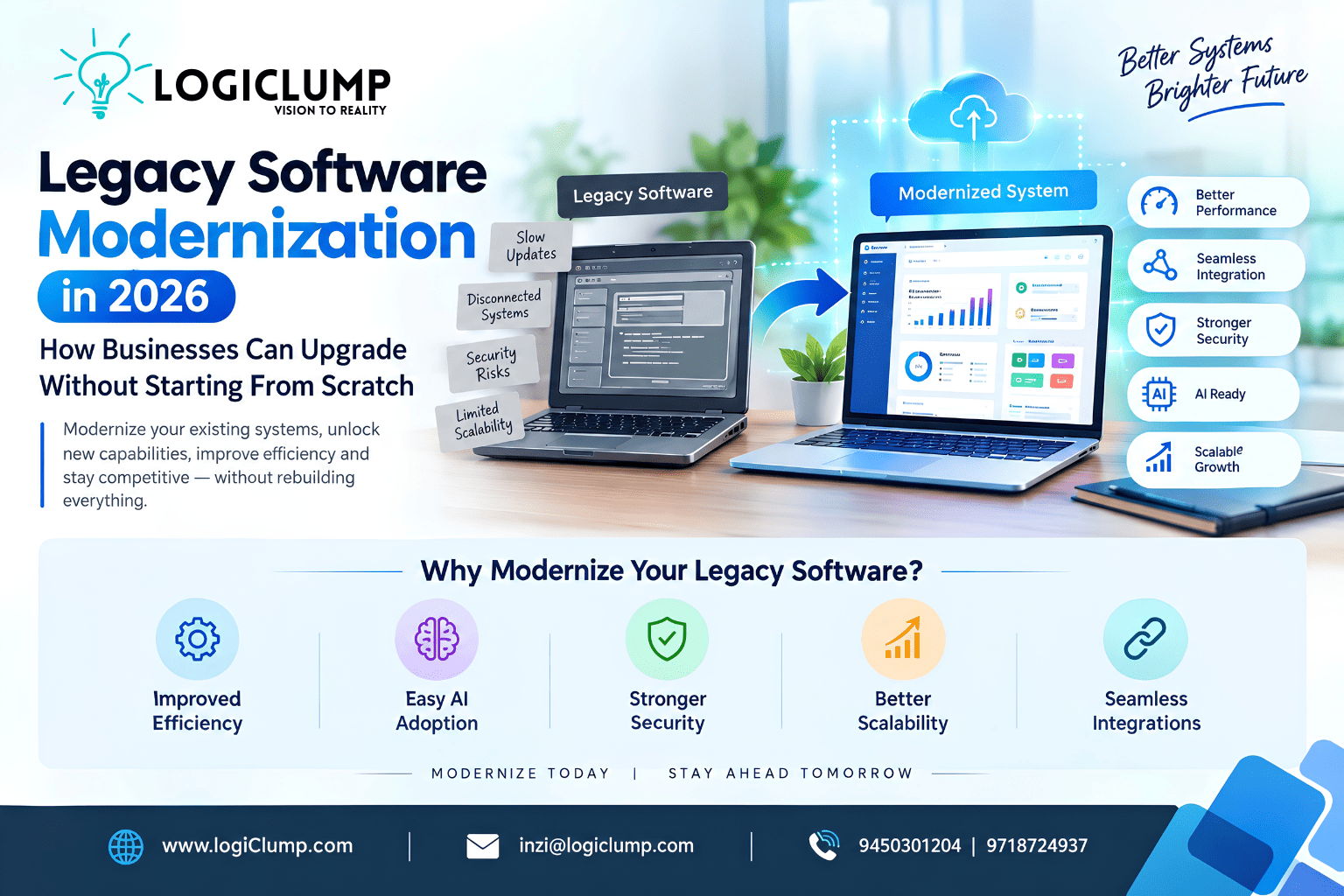
Legacy Software Modernization in 2026
Many businesses depend on software that was built years ago. It may still manage customers, process orders, track inventory, generate reports, or support daily operations. But as business requirements change, the same software can become increasingly difficult to maintain, integrate, and scale.
A system that once supported growth may now slow it down.
Adding a new feature can take weeks. Connecting a modern application to an older database can require expensive workarounds. Employees may have to transfer information manually between disconnected systems. And introducing artificial intelligence can become difficult when the underlying software was never designed to support it.
For businesses facing these challenges, the solution is not always to replace everything.
Legacy software modernization offers a practical way to improve existing systems, connect them with modern technologies, and prepare them for future business requirements—without unnecessarily disrupting current operations.
In 2026, this is becoming an important consideration for companies that want to improve efficiency, adopt AI, strengthen security, and remain competitive without rebuilding their entire technology infrastructure.
What Is Legacy Software Modernization?
Legacy software modernization is the process of improving an existing software system so it can meet current and future business needs.
Depending on the condition of the application, modernization may involve updating its technology, improving its architecture, replacing outdated components, connecting new APIs, strengthening security, or migrating selected workloads to the cloud.
The goal is not simply to make old software look modern.
It is to make the system more reliable, maintainable, secure, and adaptable.
For example, a company might operate an older inventory application that works well internally but cannot communicate with its e-commerce website.
Instead of replacing the entire inventory system immediately, the company could introduce a secure API layer that connects inventory data with the website. Later, it could improve reporting, automate stock alerts, and introduce AI-assisted demand analysis.
The business gains new capabilities while retaining useful parts of its existing infrastructure.
Why Businesses Struggle With Outdated Software
Before deciding how to modernize an application, it is important to understand what is creating the problem.
1. Disconnected Business Systems
Many organizations use separate applications for sales, accounting, inventory, customer management, and operations.
When these systems cannot exchange information effectively, employees often have to enter the same information multiple times.
This creates unnecessary work and increases the risk of inconsistent records.
For example, an order may be marked as completed in one application while the inventory system still shows the item as available.
Modern integrations can help these systems exchange information more consistently.
2. Expensive and Slow Development
Older applications may depend on outdated frameworks, unsupported libraries, or code that only a small number of developers understand.
Even a relatively small change can become difficult when the system lacks documentation or automated tests.
Over time, businesses may spend more resources maintaining existing functionality and less time developing improvements.
Modernization can reduce this burden by improving code quality, documentation, testing, and the structure of the application.
3. Security and Compliance Concerns
Older software may rely on outdated authentication methods, unsupported dependencies, weak access controls, or infrastructure that no longer receives appropriate security updates.
These weaknesses can expose business information and make it harder to meet current security expectations.
Modernization provides an opportunity to review authentication, authorization, encryption, dependency management, audit logging, and other important controls.
However, upgrading the technology alone does not guarantee security. The application needs a proper security assessment and ongoing maintenance.
4. Limited Scalability
A system designed for a small business may struggle when transaction volumes, customers, integrations, or reporting requirements increase.
Performance problems can appear during busy periods, while adding new features may require changes throughout the application.
Modern architecture, optimized databases, caching, asynchronous processing, and cloud infrastructure can help address specific bottlenecks.
The right solution depends on the actual workload rather than the popularity of a particular technology.
5. Difficulty Adopting AI
Businesses increasingly want AI features such as intelligent search, automated reporting, customer-support assistance, document processing, and predictive analytics.
But AI applications need controlled access to business information and software functionality.
If an existing application has poorly structured data, undocumented business rules, or no reliable integration interfaces, connecting AI can become difficult.
Modernizing data access and APIs can help create a foundation for future AI capabilities.
Modernization Does Not Always Mean Rebuilding Everything
One of the most expensive mistakes a business can make is assuming that every outdated application must be replaced completely.
A full rebuild may be appropriate when the existing system is fundamentally unsuitable, unsupported, or too costly to maintain. But in other situations, targeted improvements may deliver better value with less risk.
Businesses can consider several modernization approaches.
Option 1: Update the Existing Application
Sometimes the problem can be addressed by upgrading frameworks, dependencies, infrastructure, or selected application components.
This approach may be suitable when the overall architecture remains useful and the system can still support future requirements.
Option 2: Introduce APIs and Integrations
A company can retain its existing application while introducing secure APIs that allow other systems to communicate with it.
For example:
Existing Inventory System → Secure API → E-Commerce Website
The website can retrieve available stock without requiring the business to replace its entire inventory platform.
Option 3: Modernize Selected Components
Instead of rewriting the whole application, businesses can replace specific components that cause the most significant problems.
A company might modernize its reporting module while retaining the existing transaction-processing system.
This reduces the scope of change and allows the team to evaluate the results before expanding the project.
Option 4: Move Suitable Workloads to the Cloud
Some applications may benefit from cloud hosting, managed databases, automated backups, monitoring, or more flexible computing resources.
However, moving an application to the cloud without addressing its architectural problems may simply move existing issues to a different environment.
Cloud migration should therefore be guided by performance, security, availability, cost, and operational requirements.
Option 5: Rebuild the Application
A complete rebuild may be justified when the existing application cannot reasonably support required capabilities or when maintaining it has become more expensive than replacing it.
Before choosing this route, businesses should document their existing workflows, business rules, integrations, and data dependencies.
Otherwise, important functionality can be lost during the transition.
How to Choose the Right Modernization Strategy
There is no single modernization strategy that works for every company.
The decision should be based on the business problem, the condition of the existing software, the risks of changing it, and the expected long-term value.
| Business situation | Possible approach |
|---|---|
| The application works but uses outdated dependencies | Targeted upgrades |
| Multiple systems cannot exchange information | API development and integration |
| One module causes most performance problems | Component-level modernization |
| Infrastructure limits availability or flexibility | Carefully planned cloud migration |
| The system is difficult to maintain and cannot meet essential requirements | Major restructuring or rebuilding |
| Business data is difficult to access for AI workflows | Data and API modernization |
These are starting points rather than fixed rules. A technical assessment should determine the appropriate approach for each application.
A Practical Example: Modernizing an E-Commerce Business
Consider a retailer that operates an older inventory application alongside a separate e-commerce website.
The business faces three problems:
- Product availability is not updated consistently.
- Employees manually reconcile orders and inventory.
- Management cannot easily identify fast-selling products.
Replacing the entire system could be expensive and disruptive.
A phased modernization project could address these problems one at a time.
Phase 1: Connect the Systems
Develop secure APIs that allow the website to retrieve inventory information and submit order details.
Add appropriate authentication, validation, error handling, and logging.
Phase 2: Improve Data Consistency
Introduce reliable synchronization, transaction handling, and monitoring so the business can identify failed updates and reconcile inconsistent records.
Phase 3: Automate Repetitive Work
Automate selected activities, such as low-stock notifications, order-status updates, and routine reporting.
Phase 4: Introduce Better Analytics
Create a dashboard that combines order and inventory information to help managers understand sales trends and stock availability.
Phase 5: Explore AI Capabilities
Once data access and quality are sufficiently reliable, the business can evaluate AI-assisted demand analysis or natural-language reporting.
The result is a gradual improvement in business capabilities without requiring an immediate replacement of every existing system.
Preparing Legacy Applications for AI Integration
AI can create additional value when it has access to relevant, reliable business information and can interact with approved application functions.
However, adding an AI model to an outdated system is rarely enough.
Businesses should first establish a suitable technical foundation.
Make Business Data Accessible
AI workflows need controlled access to relevant records, documents, and operational information.
This may require better data structures, documented interfaces, or a consistent data-access layer.
Build Secure APIs
APIs allow an AI application to request information or initiate permitted operations.
For example, a support assistant might retrieve an order status through an authorized API rather than receiving unrestricted access to the underlying database.
Define What AI Can Do
Reading information is different from changing business records.
An AI assistant might be allowed to summarize customer information automatically but require human approval before issuing a refund or modifying a sensitive account.
Permissions should reflect the risk of each operation.
Monitor AI-Driven Actions
Businesses should maintain suitable logs of API calls, errors, approvals, and important system changes.
This makes it easier to investigate problems and understand how AI-assisted workflows behave in production.
The key principle is simple: modernize the systems around the AI, not just the AI feature itself.
The Business Impact of Software Modernization
Modernization should produce measurable improvements rather than technology changes for their own sake.
Depending on the original problems, businesses may benefit in several ways.
Lower Maintenance Burden
Improved code structure, supported dependencies, documentation, and automated testing can make future changes easier to implement.
Better Employee Productivity
Integrating disconnected systems can reduce duplicate data entry and repetitive administrative work.
Faster Product Development
Well-defined APIs and modular components can help teams introduce new features without repeatedly modifying unrelated parts of the application.
Improved Customer Experience
More reliable data and better system integration can support accurate order information, smoother transactions, and more consistent service.
Stronger Security
Modernization can address outdated dependencies, weak access controls, and insufficient monitoring when these issues are properly identified and resolved.
Greater Readiness for AI
Accessible data, reliable integrations, and clear permissions can make it easier to introduce AI-assisted workflows responsibly.
These benefits are not automatic. They depend on the quality of the implementation, the problems selected for improvement, and how results are measured.
The Hidden Risks of Modernization Projects
Modernization can create significant value, but poorly planned projects can introduce new problems.
Replacing Too Much at Once
A large-scale rebuild can increase cost, extend timelines, and disrupt business operations.
A phased approach may be more appropriate when the existing application still performs important functions.
Ignoring Existing Business Rules
Older applications often contain years of accumulated business logic.
If developers fail to document these rules before making changes, essential workflows may stop working as expected.
Underestimating Data Migration
Moving records between databases or applications requires careful attention to data quality, consistency, validation, and recovery procedures.
Treating Security as a Final Step
Authentication, authorization, secrets management, audit logging, and secure integration design should be considered during planning and development.
Choosing Technology Without a Business Reason
Microservices, containers, cloud platforms, and AI tools can be useful, but they are not mandatory for every modernization project.
The best architecture is the one that addresses the business requirements without introducing unnecessary complexity.
A Step-by-Step Software Modernization Roadmap
Businesses can reduce uncertainty by approaching modernization as a structured process.
Step 1: Audit the Existing Software
Document the application's technology stack, integrations, data stores, dependencies, security controls, and operational limitations.
Identify which parts work well and which create recurring problems.
Step 2: Define the Business Objective
Set clear goals.
For example:
- Reduce manual order reconciliation.
- Improve application response times.
- Connect the CRM with the billing system.
- Upgrade unsupported dependencies.
- Enable secure AI-assisted reporting.
Specific objectives make it easier to prioritize work.
Step 3: Assess Risk and Dependencies
Determine which systems would be affected by the proposed changes.
Identify critical workflows, sensitive data, third-party integrations, and potential service interruptions.
Step 4: Prioritize High-Value Improvements
Start with changes that address important business problems without creating unnecessary disruption.
For some businesses, this may mean securing an API. For others, it may mean upgrading a database or replacing a difficult-to-maintain module.
Step 5: Create a Pilot
Implement the proposed approach in a limited scope.
Test the functionality, security, performance, integration behavior, and operational impact before expanding the project.
Step 6: Validate the Results
Compare the outcome against the original goals.
Useful measures may include error rates, processing time, manual effort, maintenance cost, availability, and successful transaction rates.
Step 7: Roll Out in Phases
Expand the modernization effort gradually, with suitable backups, rollback procedures, monitoring, and stakeholder communication.
Step 8: Maintain and Improve
Modernization is not a one-time event.
Applications need ongoing dependency updates, security reviews, performance monitoring, testing, and maintenance as business requirements change.
When Should a Business Modernize Its Software?
A business does not need to modernize an application simply because it is old.
An older system may still be stable, secure, and suitable for its purpose.
Modernization deserves closer consideration when the application:
- Depends on unsupported technologies.
- Frequently experiences failures or performance problems.
- Is expensive to maintain.
- Cannot integrate with essential business systems.
- Creates repeated manual work.
- Has security weaknesses that cannot be adequately addressed through routine maintenance.
- Prevents the business from introducing important new capabilities.
- Makes reliable data access difficult for reporting or AI integration.
The decision should consider both the cost of modernization and the ongoing cost and risk of leaving the system unchanged.
How LogiClump Can Help
Software modernization often requires a combination of engineering skills rather than a single technology upgrade.
Businesses may need help assessing existing systems, improving backend architecture, developing secure APIs, integrating third-party applications, modernizing databases, introducing automation, or preparing applications for AI capabilities.
LogiClump Technologies develops custom software solutions designed around business requirements.
Our services include:
- Custom Software Development: Build or improve applications around specific business workflows.
- API Development and Integration: Connect existing systems with websites, mobile apps, and third-party services.
- AI Integration: Introduce appropriate AI capabilities into business applications and workflows.
- Web and Mobile Development: Develop modern interfaces that work with business systems.
- Cloud and DevOps Engineering: Support deployment, monitoring, infrastructure improvements, and operational reliability.
- Business Automation: Reduce repetitive work by connecting applications and streamlining processes.
The right approach starts with understanding the existing system, identifying the biggest limitations, and choosing improvements that deliver practical value.
Rather than recommending a complete rebuild by default, the objective is to help businesses determine what should be retained, what should be improved, and what genuinely needs replacing.
Conclusion: Modernize With Purpose, Not Just Technology
Legacy software does not have to become a permanent obstacle to business growth.
With the right strategy, organizations can improve existing applications, connect disconnected systems, strengthen security, reduce maintenance difficulties, and create a foundation for new capabilities such as AI-powered automation.
The most effective modernization projects begin with a clear business problem—not a decision to adopt the latest technology.
For some companies, secure APIs and targeted upgrades will be enough. Others may benefit from cloud migration, architectural restructuring, or a carefully planned rebuild.
The important thing is to make informed decisions, modernize in manageable stages, and measure the results.
Your existing software may not need to be replaced completely. It may need the right upgrades, integrations, and architecture to support your next stage of growth.
Talk to Our Team
Planning to upgrade an existing application, connect business systems, introduce AI features, or build more scalable software?
LogiClump Technologies can help you evaluate your requirements and develop practical, secure, and scalable digital solutions.
🌐 Website: www.logiclump.com
📧 Email: inzi@logiclump.com
📞 Contact: 9450301204 | 9718724937
Build. Innovate. Empower.
Learn how businesses can modernize legacy software, connect existing systems, improve security, integrate AI, and scale without rebuilding everything.
Tom Cruise