
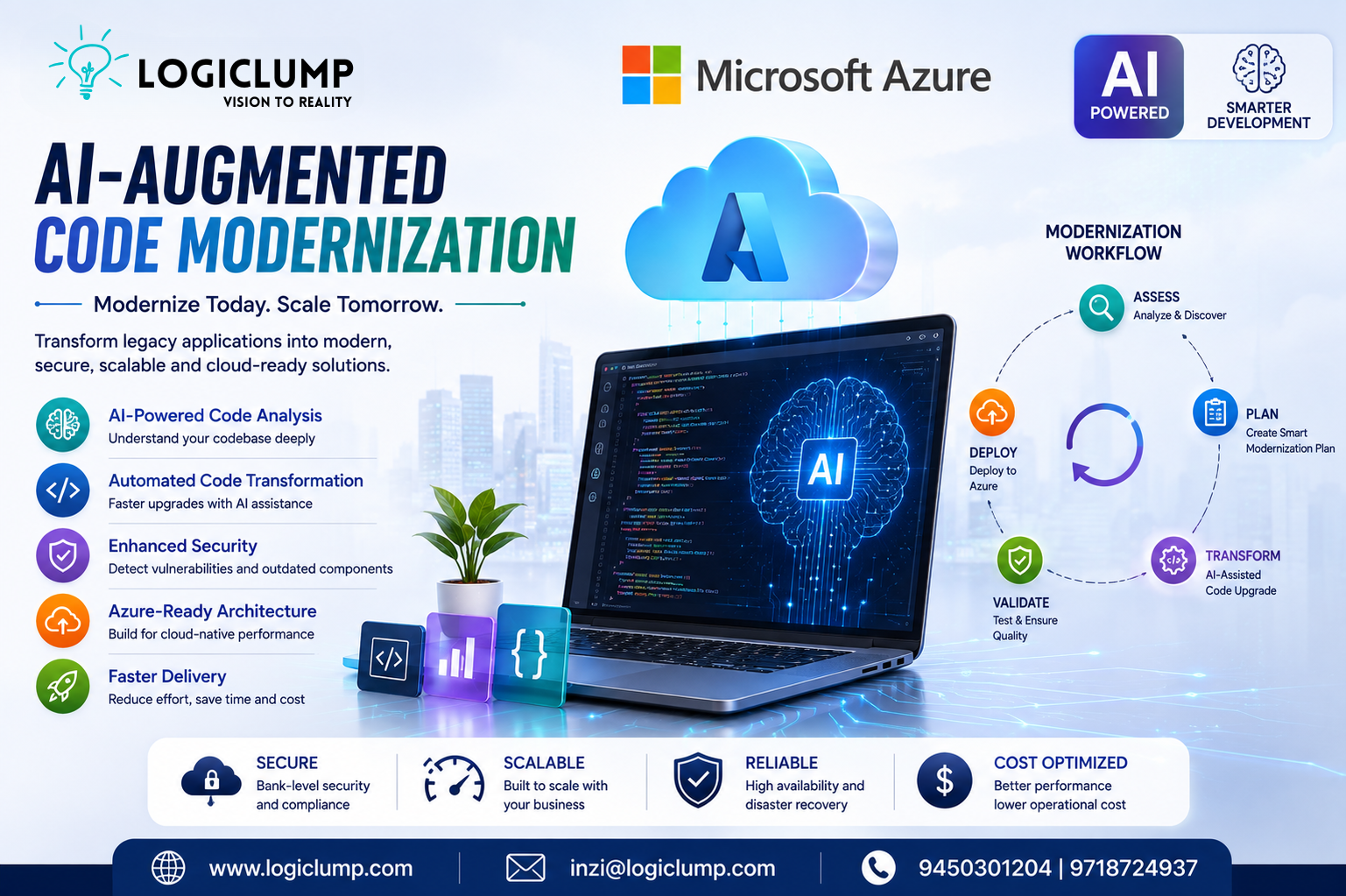
AI-Augmented Code Modernization with Microsoft Azure
Technology moves quickly, but business applications do not always move at the same speed. Many companies continue to depend on software that was developed years ago using older programming frameworks, outdated libraries, traditional infrastructure, and architectures that were never designed for today's cloud-first world.
Replacing such systems completely can be expensive and risky. At the same time, continuing to operate outdated applications can create security, performance, scalability, and maintenance challenges.
This is where AI-augmented code modernization on Microsoft Azure is becoming an increasingly important approach.
Instead of relying entirely on developers to manually inspect and rewrite legacy software, modern AI-assisted tools can help teams understand existing applications, identify modernization opportunities, plan technical changes, update code, test improvements, and prepare workloads for cloud environments.
What Is AI-Augmented Code Modernization?
AI-augmented code modernization is the use of artificial intelligence alongside conventional software engineering practices to improve and transform older applications.
Traditional modernization often involves developers spending significant amounts of time understanding unfamiliar codebases, tracking dependencies, locating obsolete components, and performing repetitive upgrades.
AI can assist with these activities by examining an application's structure and providing developers with useful recommendations and automation.
The important point is that AI is not replacing the development team. Instead, it acts as an additional engineering assistant that can help developers work through complex modernization tasks more efficiently.
Why Are Businesses Modernizing Legacy Applications?
A legacy application may still perform an important business function, but that does not mean its underlying technology is suitable for the future.
Organizations commonly encounter problems such as:
- Outdated frameworks and programming languages
- Unsupported third-party packages
- Difficult-to-maintain code
- Increasing security risks
- Slow development cycles
- Limited integration capabilities
- Expensive infrastructure
- Poor scalability
- Difficulty adopting cloud technologies
For some organizations, completely rebuilding an application may not be practical.
Modernization provides another path: preserve valuable business logic while gradually improving the technology underneath it.
Where AI Can Help
AI can contribute to modernization at several stages of the development lifecycle.
1. Understanding Existing Code
One of the biggest challenges with older applications is understanding how everything works.
Over time, applications can accumulate thousands of files, dependencies, configurations, and interconnected components.
AI-assisted analysis can help developers identify:
- Application components
- Framework versions
- Dependencies
- Potential compatibility problems
- Architectural relationships
- Areas that may require significant changes
This gives development teams a clearer starting point before making modifications.
2. Planning the Modernization Journey
Modernization should not begin with immediately rewriting code.
First, teams need to determine what should actually be changed.
AI can assist developers and architects in creating modernization plans by identifying potential upgrades and organizing work into manageable stages.
For example, an organization may decide to:
Assess → Prioritize → Modernize → Test → Deploy → Monitor
This staged approach can reduce unnecessary disruption to business operations.
3. Updating Older Code
Legacy applications frequently contain repetitive patterns and outdated APIs.
Developers may need to update hundreds of similar code sections when moving to a newer framework or architecture.
AI coding assistants can help identify these patterns and suggest appropriate replacements.
Depending on the application, modernization may involve:
- Updating framework versions
- Replacing obsolete APIs
- Updating dependencies
- Improving configuration
- Changing authentication approaches
- Connecting applications with Azure services
- Preparing applications for containers
Developers can then review the proposed changes before they become part of the production application.
4. Security Improvements
Modernization also creates an opportunity to improve application security.
Older applications may contain outdated dependencies or authentication methods that were acceptable when the system was originally developed but are no longer recommended.
AI-assisted development workflows can help teams locate potential security problems and prioritize areas that require attention.
However, automated recommendations should never be treated as a substitute for professional security testing.
For critical applications, developers and security specialists should validate changes before deployment.
5. Preparing Applications for the Cloud
Moving an application to Azure is not always as simple as transferring the existing software to a cloud server.
Some applications may benefit from architectural improvements before migration.
Depending on the workload, organizations might consider:
- Azure App Service
- Azure Container Apps
- Azure Kubernetes Service
- Azure databases
- Managed identity
- Cloud-based storage
- Serverless services
- API-based architectures
The right option depends on the application's requirements, performance expectations, security model, and business objectives.
AI + Azure Migrations
Microsoft Azure provides a broader ecosystem for organizations planning application modernization.
Infrastructure discovery and application analysis can be combined with development-focused modernization workflows to create a more complete view of a legacy environment.
This is especially valuable for organizations with large application portfolios.
Instead of asking only:
“Can this application run in the cloud?”
Technology teams can begin asking more useful questions:
- Which applications should be modernized first?
- Which systems have the highest technical debt?
- Which workloads are suitable for containers?
- Which dependencies need attention?
- What modernization effort could each application require?
- Which systems should be migrated, refactored, or redesigned?
This type of analysis can help organizations prioritize their modernization investments.
AI Does Not Replace Developers
One of the most important aspects of AI-assisted modernization is human oversight.
AI can analyze large amounts of information quickly and assist with repetitive development work, but business applications often contain complex rules that cannot be understood from code alone.
Developers still need to evaluate:
- Business logic
- Architecture
- Performance
- Security
- Data integrity
- User requirements
- Integration behavior
- Production risks
A better way to think about AI is as a development accelerator, not an autonomous replacement for an engineering team.
Benefits of AI-Assisted Modernization
When implemented correctly, AI can make modernization projects more manageable.
⚡ Faster Development
Automated analysis and code assistance can reduce repetitive engineering work.
☁️ Cloud Readiness
Applications can be prepared for modern Azure infrastructure and cloud-based architectures.
🔐 Stronger Security
Teams can identify outdated components and address potential vulnerabilities as part of modernization.
📈 Improved Scalability
Modern architectures can make applications easier to scale as customer and business requirements increase.
🛠️ Easier Maintenance
Replacing obsolete dependencies and improving application structure can make future development simpler.
💰 Better Long-Term Efficiency
Modern infrastructure and cleaner application architecture can help organizations reduce some of the operational and maintenance challenges associated with aging systems.
A Practical Modernization Strategy
Businesses should avoid treating modernization as one massive project.
A practical approach could be divided into five stages.
Stage 1 — Discover
Create an inventory of applications, technologies, dependencies, databases, and infrastructure.
Stage 2 — Evaluate
Identify security concerns, technical debt, compatibility issues, and business priorities.
Stage 3 — Plan
Determine whether each workload should be rehosted, replatformed, refactored, or redesigned.
Stage 4 — Modernize
Use development teams and AI-assisted tools to update code, dependencies, architecture, and cloud integrations.
Stage 5 — Validate
Perform functional testing, security testing, performance testing, and business validation before production deployment.
This approach allows organizations to modernize progressively instead of taking unnecessary risks with critical systems.
The Future of Software Modernization
The future of modernization is likely to involve increasingly intelligent development workflows.
AI is moving beyond simple autocomplete and code suggestions toward tools that can assist with larger engineering tasks.
This could eventually allow development teams to spend less time on repetitive technical work and more time on architecture, product innovation, security, and business functionality.
For organizations with large legacy portfolios, this shift could make modernization projects more practical and scalable.
Conclusion
Legacy software does not necessarily need to be discarded simply because its technology is old.
With Microsoft Azure, cloud services, modern development practices, and AI-assisted engineering, businesses can take a more strategic approach to transforming existing applications.
The goal is not simply to move old software to the cloud. The real objective is to create applications that are more secure, maintainable, scalable, efficient, and ready for future technologies.
AI can accelerate this journey, but successful modernization still depends on experienced developers, careful planning, testing, and strong technical decision-making.
For businesses looking to modernize their digital infrastructure, the combination of Azure + AI + experienced software engineering can provide a powerful foundation for the next generation of applications.
Build Modern Software with LogiClump Technologies
At LogiClump Technologies, we help businesses turn technology ideas into scalable digital products. From websites and mobile applications to custom software, cloud solutions, APIs, CRM/ERP platforms, and AI-powered applications, our team focuses on building technology designed for long-term growth.
LogiClump Technologies — Vision to Reality
🌐 www.logiclump.com
📧 inzi@logiclump.com
📞 9450301204 | 9718724937
xplore how Microsoft Azure is transforming code modernization with AI-augmented development. Discover key benefits, tools, and how LogiClump helps businesses build smarter, scalable software solutions.
Tom Cruise